
The latest half-width Cisco UCS B-series servers are beautiful pieces of machinery. In such a small footprint it is possible to get two processors each with 10 cores and 20 threads. In addition, the blade supports an amazing 512GB of memory and features the ability to support up to two hot-swappable SSD drives.
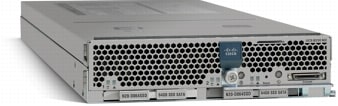
Unfortunately, while working with this bleeding edge technology, I have run into several limitations. I would like to share some of the limitations I have experienced in the workarounds available today.
B230s require UCS + UCS B-series firmware version >=1.4 – While this may not be an issue for all, I was running version 1.3 and as such was forced to perform an upgrade.
B230s running vSphere 4.x require upgraded HBA and NIC drivers – While it is possible to install vSphere 4.x without upgrading the drivers, lots of error messages will be seen in the ESXi logs and poor performance will likely be experienced. As an example, if you present and connect to a LUN and then remove it on the storage side, the ESXi host will become unresponsive. However, if you upgrade the drivers, this issue is not experienced.
B230s require UCS B-series firmware version >=1.4(3q) and UCS B-series BIOS firmware version >=1.4.3d to support EVC Intel mode 32nm i7 – If you are running a UCS B-series BIOS firmware version under 1.4(3d), which is part of the UCS B-series firmware version 1.4(3q), the highest version of EVC Intel mode possible is i7. The reason for this is because the Advanced Encryption Standard (AES) instructions are disabled and are also not exposed to the user to be enabled. The B200 blades did not experience this issue and as such I had them configured as 32nm i7. In order to keep everything consistent and to prevent the need of rebooting VMs, I opted to install UCS + UCS B-series firmware 1.4(3q) from the beginning.
B230s running vSphere 4.x with EVC mode only support VMware Fault Tolerance if running mode i7 or older – This means even if running UCS B-series BIOS firmware 1.4(3q) EVC Intel mode 32nm i7 cannot be selected if fault tolerance is to be used. There is not workaround to this issue at this time.
B230s are not supported on vSphere 5 (as of 9/20/11 supported on UCS firmware 2.0) – I was able to successfully vSphere 5 on the B230 servers, however I experienced lots of errors on the ESXi host and odd host issues including poor performance. The odd host issues included vSphere HA configuration errors, hosts disconnecting for vCenter Server, sluggish vSphere client operations, and sluggish VMs. I later learned that the B230s are not on the VMware Compatibility Support Matrix. After talking with VMware support I was told the B230s were not supported due to the need for updated drivers and that they would be fixed “soon”.
*** UPDATE: I just learned from Cisco that the B230s will support vSphere 5.0 on UCS firmware version 2.0. At this time, there is no plan to support the B230s with vSphere 5.0 on any version of UCS firmware under 2.0.
*** UPDATE2: I adjusted the firmware terminology to avoid confusion. In 1.4 the switch and server firmware were separated resulting in the need to perform two different downloads. I prefer to keep the switch and server firmware in sync and as such refer to them collectively as UCS firmware. The distinction between switch and server firmware is specifically important for the EVC issue as it is the blade firmware (specifically the BIOS firmware) that causes the issue and is what needs to be upgraded.
*** UPDATE3: UCS firmware version 2.0 has been released! The VMware compatibility matrix now shows support for the B230s on vSphere 5 using UCS firmware 2.0.
*** UPDATE (2012-01-26): Please be advised of the following new caveats:
- B230-M2 is only supported on ESX(i) version greater than 4.1 (i.e. U1, U2, or 5.0) – As of December 14
- B230-M2 is only supported on ESX(i) 4.1 U2 running UCS version 2.0 or greater (4.1 U1 is supported on UCS version 1.4.x) – Officially supported January 17
- C1E is enabled by default and causes processor halted messages that may lead to ESX(i) hosts disconnecting from vCS. This can be changed in the BIOS service profile in UCS versions 2.0 and greater, but can only be changed manually via the console on 1.4.x – See my blog post on 2012-01-26 for more details.
© 2011, Steve Flanders. All rights reserved.

Thank you for sharing the information. I ran into the EVC issue today when attempting to add some new B230 blades to existing B200 clusters and then found your post. It is frustrating Cisco would release the server knowing it doesn’t work well with VMWare which is what many people are using UCS for. We just upgraded the system to 1.4.3(m) a week before 1.4.3(q) was upgrade. Not looking forward to having to perform yet another upgrade.
I feel your pain and have expressed this directly to Cisco. I too was forced to perform the upgrade from 3m to 3q, which worked without issue, but still required additional work and approval.
Thank you for posting your information on the poor performance. I ran into this problem this week and had no idea why. Seems we had to wait a week fews for 2.0 and hope everything is good than.
Correct. I have learned that at this time Cisco only plans to have support with the B230s and vSphere 5.0 in UCS firmware version 2.x, which means another upgrade.
What firmware are you running on the B230 M2s? I got two of them that I’m testing in my staging environment but I’m having trouble joining my clusters. I’m getting the error “hardware not compatible with EVC”. I’m running BIOS 1.43d (came with the 1.43q package). This has to be a BIOS config issue, right? I just don’t know where else it could be set. I have AESNI enabled and it still doesn’t work. I’ve got a Cisco case open but I wanted it documented here since this page is the best resource I’ve found discussing these issues.
I assume you are attempting EVC mode 32nm i7? If so, you must use UCS firmware 1.4(3q). If you want to stay on 1.4(3d) you need to select EVC mode i7 or below. The issue is that AES is disabled in the BIOS and is not exposed to the user to enable from UCSM. 1.4(3q) fixes this issue by enabling (still does not expose to the user). You say you have enabled AESNI. From where have you done this?
Your assumption is correct. I am on UCS 1.43q. However, the BIOS package for the blade itself (B230 M2) is 1.43d (its what comes with the package). Is this the same with you? Actually working with Cisco on this right now so I’ll get back to you on what they say.
At this point I can’t join it to any cluster running EVC.
That’s the problem. The issue is with the BIOS so just upgrading the UCSM firmware will not solve the problem. You need to upgrade the B230 to 1.4(3q) and then set the BIOS version to 1.4(3q) as well (CORRECTION: 1.4.3d). Then you should not have an issue. 1.4 changed the upgrade procedure a bit in that the switch firmware is separate from the server firmware.
Interesting. I worked with Cisco today and they said the latest version of the BIOS is 1.43d. Can you confirm that you really have a 1.43q as your bios? I wish I could post a screen cap.
You are correct (I have been working all weekend and clearly need more sleep) in that the BIOS version should be 1.4.3d. If you are running this version and you are unable to join the host to a cluster with EVC enabled then you likely have a BIOS setting issue. Have you changed the defaults? What is the exact error you are seeing when attempting to add the host? Perhaps http://kb.vmware.com/kb/1003212 will help.
Agreed there seems to be a BIOS issue; either in version or configuration. Am going to try a second blade today and see what happens. The BIOS settings to change are quite limited and AESNI is already enabled by default. Not sure what else I could drop other than C-State (which shouldn’t be an issue afaik). The Cisco UCS guy I’ve been working with has been helpful but he is totally stumped as all of my firmware looks great at 1.43q (I didn’t miss anything) and my BIOS looked great after we went through it option by option. Hope it’s not a hardware failure.
The default BIOS settings should work without issue. Please keep me posted as to the underlying issue. Also, please post the exact error message you see when attempting to add the hosts to a cluster.
Got my issue resolved. Gotta run vCenter 4.1 or else EVC modes on your CPU won’t be recognized. Figured as much since it’s not in the compatibility matrix from Cisco.
Thanks for the update and I am glad you got the resolution!